Skip to product information
1 of 5

AirCube - Air quality you can see

AirCube - Air quality you can see

Regular price $64.00 USD
Regular price Sale price $64.00 USD
Sale Sold out
Shipping calculated at checkout.
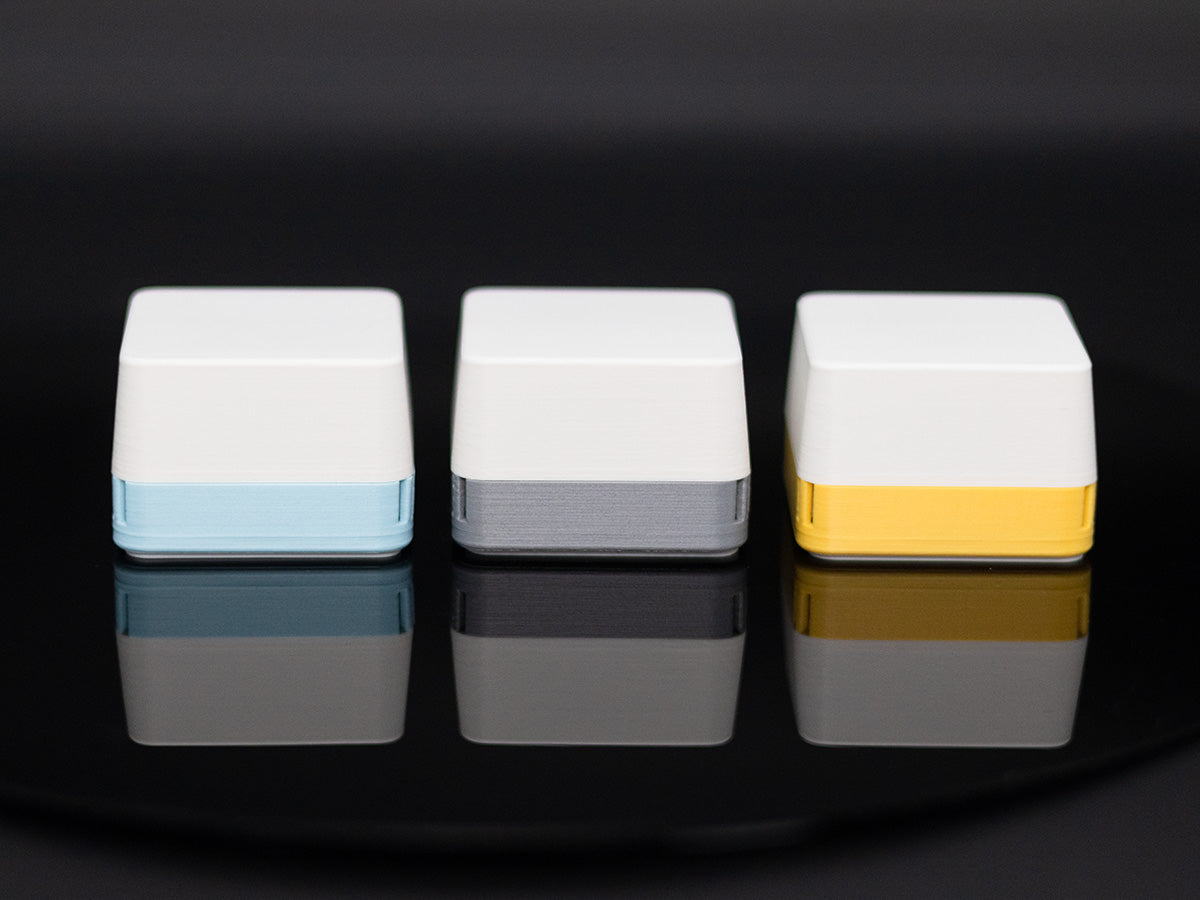
Enclosure Color

Save 10% on 2+ | Save 20% on 4+ | Ships free $99+

You can't see what you're breathing. Paint fumes, cooking VOCs, off-gassing furniture, stale bedroom air. Indoor air can be 2 to 5 times more polluted than outdoor air.

AirCube glows green, yellow, or red so you can see your room's air quality from across the room. Green means good. Yellow means ventilate. Red means act now.

Pair it with Home Assistant over Zigbee or use the free Windows app to track VOCs, AQI, temperature, and humidity room by room. No app necessary, no account, no cloud.

Use one on your desk, or place a few around your home to see how air quality changes from room to room.

✔ 1000+ sold
✔ Designed and hand-assembled in Texas. 
✔ 30-day satisfaction guarantee.

Volume discounts
2-Pack: Save 10% 
4-Pack: Save 20%
Free shipping on orders $99+

View full details

YouTube comment from a customer

Here is how it works

Ships from Texas. 30-day satisfaction guarantee.

If you are not thrilled with your AirCube, email contact@stuckatprototype.com
and return it within 30 days of delivery for a full refund. No questions asked.

Know when your air needs attention

Most air quality monitors bury you in numbers. AirCube does the opposite.

Green means air looks good.
Yellow means it may be time to ventilate.
Red means your air needs attention.

Put it on your desk, shelf, nightstand, or workbench and check your air at a glance, no dashboard required.

Use it your way

Standalone: Just plug it in. No app, no account, and no Wi-Fi required. AirCube gives you a simple color signal you can read at a glance.

Home Assistant: Pair it over Zigbee to monitor VOC, air quality index, temperature, humidity, and eCO2 on your dashboard. Build automations, track trends, and compare air quality from room to room.

Windows app: Use the free Windows app to view live readings and historical graphs. No subscription required.

Open-source. No cloud. No data collection.

Your data stays yours.

Ready to see what your room is doing?

Add AirCube to your desk, bedroom, or a workshop. See your air at a glance.

Buy now

Made for the rooms that matter most

AirCube helps you notice air quality changes in the places where you actually live and work.

Use it in your office, bedroom, workshop, kitchen, or near a 3D printer to catch changes you would otherwise miss.

When the color changes, you know it is time to open a window, turn on a fan, or pay attention to what is affecting the room.

More things affect your air than you think

Cooking. Cleaning sprays. Candles. Soldering. 3D printing. Fresh paint. Adhesives. Even spending hours in a closed room.

Most of these changes are invisible, but they still affect the air around you.

AirCube makes those changes visible, so you can spot patterns, compare rooms, and respond before the room starts to feel stale.

Technical specifications (if you want them)

Feature Details
Sensors ENS161 (VOC/CO₂eq), ENS210 (Temperature, Humidity)
Microcontroller ESP32-H2
LED IN-PI15TAT5R5G5B Addressable RGB
Power USB-C (5V)
Dimensions 49 mm × 49 mm × 36 mm
Firmware Open source (available on GitHub)
Enclosure 3D-printed PLA with diffused top
Connectivity USB-C for data and power + native ESP32H2 protocols
Home Assistant ZHA and Zigbee2MQTT supported

Frequently Asked Questions

Does it really work right out of the box?

Yes. Plug AirCube into any USB-C port or adapter. Within seconds the LED responds to your air. No app to download, no account to create, no Wi-Fi to configure, no hub to buy. Most air quality monitors take multiple attempts to set up. AirCube skips all of that.

Do I need Home Assistant to use AirCube?

No. AirCube works great on its own as a simple color-based air monitor. Home Assistant is optional.

How accurate is it?

AirCube uses the ENS161 and ENS210 — reliable, well-documented sensors designed for indoor air quality monitoring.

What does the color actually mean?

Green means your air quality is in a normal range. Yellow means VOC levels are elevated. Consider opening a window or turning on a fan. Red means your air needs immediate attention. Ventilate the space. You don't need to interpret a number or look anything up. The color is the answer.

Can I turn off the light?

Yes, You can adjust the light to different brightness levels by clicking the button on the back or you can adjust it via Home Assistant. *Note that the button can only be pressed with a pen or another pointy tool at the moment.

Is it really open sourced?

Yes! You can find all the schematics, code and mechanical files here: https://github.com/StuckAtPrototype/AirCube

What can cause the color to change?

More than you'd expect. Cooking fumes, cleaning products, candles, 3D printing, soldering, fresh paint, adhesives, new furniture off-gassing, even just breathing in a closed room for a few hours. AirCube makes those invisible shifts visible.

Does it need Wi-Fi or a phone?

No. AirCube works completely offline. There is no cloud, no app, and no data leaves the device. If you want deeper data, you can connect it to Home Assistant over Zigbee or view live readings on a PC with the free Windows app. Neither is required.

Where should I put it?

Wherever you spend the most time. Your desk, bedroom nightstand, kitchen counter, or workshop bench. Most customers start with one and add more. The popular setup is bedroom + office + workshop

What's it made of? Where does it come from?

Every AirCube is designed and hand-assembled by me (Damian) and my wife (Marcela) in my workshop in Leander, Texas. The enclosure is 3D-printed PLA, the firmware is open source, and when you email support, you're talking directly to the person who built your unit.

What if I don't like it?

Email me at contact@stuckatprototype.com, and I will send you a return label. Return it within 30 days for a full refund. No questions asked.

Hi! I'm Damian

I design, build, and ship every AirCube from my workshop in Texas.

On top of that, I run a YouTube channel with roughly 90K subscribers called "StuckAtPrototype". You can check it out at the link below.

https://www.youtube.com/@stuckatprototype

Thanks for your support. I will make sure to do everything in my power to make your experience as seamless as possible. Also, feel free to reach out to me at contact@stuckatprototype.com if you have any questions!

AirCube Launch YouTube Video