


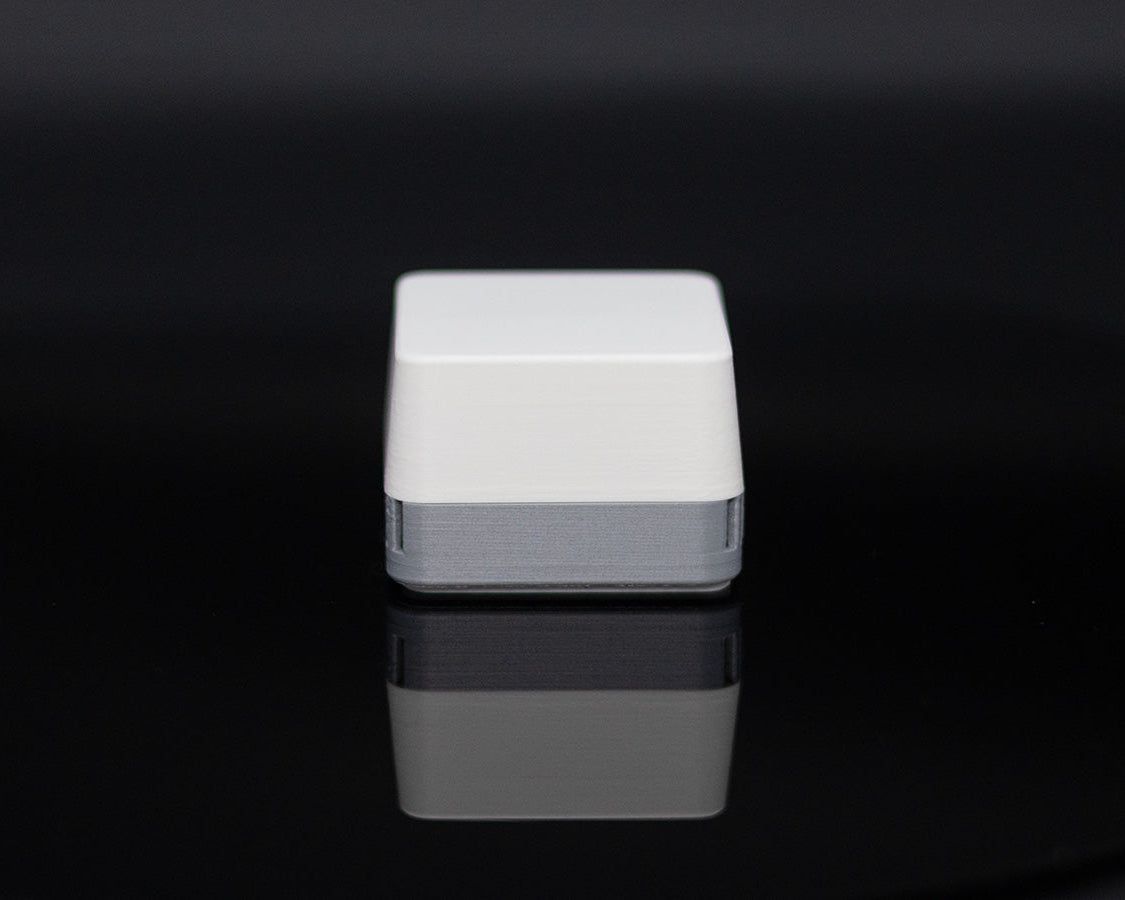
30 day satisfaction guarantee.

Know when your air needs attention
Most air quality monitors bury you in numbers. AirCube does the opposite.
Green means air looks good.
Yellow means it may be time to ventilate.
Red means your air needs attention.
Put it on your desk, shelf, nightstand, or workbench and check your air at a glance, no dashboard required.

Use it your way
Standalone: Just plug it in. No subscriptions, no account, and no Wi-Fi required. AirCube gives you a simple color signal you can read at a glance.
Home Assistant: Pair it over Zigbee to monitor VOC Levels, temperature, humidity, and CO2 (pro only) on your dashboard. Build automations, track trends, and compare air quality from room to room.
Windows app: Use the free Windows app to view live readings and historical graphs. No subscription required.
iOS and Android apps: No subscriptions, completely free, all local data. Set up alerts for air quality. Track multiple AirCubes. Export your data into a CSV file and much more.
Open-source. No cloud. No data collection.
Your data stays yours.

Made for the rooms that matter most
AirCube helps you notice air quality changes in the places where you actually live and work.
Use it in your office, bedroom, workshop, kitchen, or near a 3D printer to catch changes you would otherwise miss.
When the color changes, you know it is time to open a window, turn on a fan, or pay attention to what is affecting the room.

More things affect your air than you think
Cooking. Cleaning sprays. Candles. Soldering. 3D printing. Fresh paint. Adhesives. Even spending hours in a closed room.
Most of these changes are invisible, but they still affect the air around you.
AirCube makes those changes visible, so you can spot patterns, compare rooms, and respond before the room starts to feel stale.

Base vs Pro
Base model senses:
- Equivalent CO2 (VOC derived)
- VOC levels
- Temperature
- Humidity
Pro model senses:
- Everything base model plus:
- NDIR CO2
- Ambient light (with auto dim)
Technical specifications (if you want them)
| Feature | Details |
|---|---|
| Sensors | Base model: ENS16x (VOC), ENS210 (Temperature, Humidity) Pro model: ENS16x, SCD41 (CO2, Temperature, Humidity), VCNL4040 (ambient sensor) |
| Microcontroller | ESP32-H2 |
| LED | IN-PI15TAT5R5G5B Addressable RGB |
| Power | USB-C (5V) |
| Dimensions | 49 mm × 49 mm × 36 mm |
| Firmware | Open source (available on GitHub) |
| Enclosure | 3D-printed PLA with diffused top |
| Connectivity | USB-C for data and power + native ESP32H2 protocols |
| Home Assistant | ZHA and Zigbee2MQTT supported |

Hi! I'm Damian
I design, build, and ship every AirCube from my workshop in Texas.
On top of that, I run a YouTube channel with roughly 90K subscribers called "StuckAtPrototype". You can check it out at the link below.
https://www.youtube.com/@stuckatprototype
Thanks for your support. I will make sure to do everything in my power to make your experience as seamless as possible. Also, feel free to reach out to me at contact@stuckatprototype.com if you have any questions!
Works as described

I have to say this device exceeded my expectations. I ordered 2 more for my family
Keep up the great work I am looking forward to more great things to come from stuck at prototype
I added my graph showing cooking bacon and eggs this morning the sensor is located in a bedroom.
Dan


Very nice and unique product, and I'm very happy with it overall.
Unfortunately, after only a few brightness adjustments, the button detached from the circuit board, even though I wasn't applying much pressure. This was disappointing, as the Aircube otherwise seemed to be of good quality.

Hi! Sorry about this. I am working on improving this. Happy to send you a replacement! Reach out via contact@stuckatprototype.com with your order number and I will get it out to you right away. Thanks for the support!
I’ve been running these for a few weeks now. They were super easy to integrate into my home assistant and automate. I love being able to get access to all the data in home assistant, but at the same time being able to look at the device and easily tell with a quick glance what my air quality is. So far seems to be very well designed and thought out. Will be adding more.

Shipped quickly and works as advertised. Very easy to setup with Home Assistant and Zigbee2MQTT. I'm using it in the room where I keep my 3D printer and it alerted me to high levels of VOCs which I have been able to mitigate with a filtration system.

Well done! Happy to support this kind of endeavor. Keep making stuff!

Very easy to use and understand the read out. I could tell very quickly that the air in my bathroom is poor quality. The openness of this project is spurring me towards getting hooked up with the home assistant ecosystem.

When this precious little AirCube first arrived, I just plugged it into the wall and it started working instantly! No fuss, no bother, and no needing a degree in engineering just to get it going. It is absolute proof that good things come in small packages, speaking my language plain as day just by changing color to show me exactly what's in the air. When I’m frying up some green tomatoes and the kitchen gets a touch smoky, it turns bright red to let me know it's time to get a cross-breeze going. It even plays nice with that fancy "Home Assistant" system I use to run the gadgets around the house, sending all that air quality information right to it without a single hiccup. It stays as quiet as a church mouse, just sitting there like a tiny guardian angel making the invisible plain as day so I know exactly when to open up the windows and let that sweet breeze in.
The only tiny notion is that the little light can be a touch bright in the evening when I’m trying to settle down with my sweet tea and watch my programs, but it’s no trouble at all to just turn it facing the wall a bit. If you want a sweet little helper that lets you see exactly what you're breathing without having to squint at tiny numbers or fiddle with a smartphone, you go on ahead and get yourself one. It connects up to your smart home beautifully, is worth every single penny for the peace of mind, and gets a whole five stars from me!

Absolutely phenomenal device, as one hobbyist that is just as much into self hosting, personal projects, 3d printing, wood/metal work as StuckAtPrototype is, this device was very good for the price, and I’m more than happy to support a “small” creator 3d printing their own ESP32 projects than some mega corporation. Realizing I had to hold the button for 3s to enter the blue-flash pairing mode for ZHA was a bit of a head scratcher, but Google came to the rescue with calling that out as well as the custom quirk, and I figured out how to get the .py file into a place that my HA instance could see it. A little setup on the front end, nothing terrible, 5 stars, would obviously recommend this over any other AQ monitor from Amazon or whatever. Also, more than happy to share a quick write up on step by step instructions for the custom quirk, as I missed that the first time.
PS - giving the block diagram for the underlying circuit design in the package made me smile, I might frame it next to the little glowing cube!

The AirCube is integrated into my Home Assistant setup via Zigbee (ZHA). The initial integration was easy, the only difficulty was creating the Quirk in HA to expose all sensors, but due to the great instructions even that wasn't a big deal.
Great job. Love that little sensor and it serves as a night light at the same time. Good job.

I am beginning to think my COVID ruined sense of smell is not going to return to normal. So I have no sense of what my shop smells like. I ventilate but decided I need this little guy to make sure it's safe. I really like how easy it is. I hate messing with options and whatever. Just plug it in, that's it. Great design.

this little thing is Perfect!

Great at seeing a visual view of you air quality!

I love how the colors show me the air quality at a glance without checking any apps. I put mine next to the flowers, I am going to get one more for my bedroom. Highly recommended.

I paired it with home assistant and it works perfectly out of the box. I’m putting it next to my 3D printer. I’m going to get more of these!

I love this device. Its a great reminder to air out my office. The design is really nice as well. Very sleek and modern. I highly recommend for anyone that has a habit of getting their office messy its a good reminder to clean up clutter as well.


Thank you Peter! I am glad you are loving the AirCube!
Love this air cube. We all spend a lot of time at home and air quality is essential. This cube is a great reminder for me when I need to crack my window for some fresh air. I didn’t realize how bad the air at home was, because it’s not something we can see or even smell sometimes. Great buy, thanks for making this product stylish and simple.

Thank you Rustam! I am glad you are loving the AirCube!
Works Great really needed this to test out ABS on H2D before and after adding Alveo Pro filtration unit, after testing the filtration unit I can now safely print ABS in a closed room with this air cube as indication of VOC health

Thank you for leaving a review! I am happy to hear that the AirCube has been working well. Happy printing!
Great product. I ordered two of them and am going to order more for each room!
Does exactly what it needs to do
It's a beautifully elegant air monitor.
It was very easy to get set up and online. Four stars because I bought the base model and I cannot get VOC to show up in home assistant even though it appears that I should be able to view that data.
After it's all setup it works wonderfully, but I found integration for ZHA is a little odd and you need a special quirk, this was my first time doing one so it was a more in depth process than set and connect if you want the full capability, otherwise it's great.
Super happy with my new Air Cube. It’s exactly what I was looking for. I have multiple 3D printers in my office and even though I’ve sealed and ventilated both machines my fiancé still gets nervous. Having the Air Cube in there so she can see the status through the glass doors makes her way more comfortable. Makes my life easier. Works great, love the interface. Great work. I look forward to your next product.
You may also like
-
AirCube - Air quality you can see
Regular price From $59.00 USDRegular priceUnit price per$64.00 USDSale price From $59.00 USDSale -
 Sold out
Micro Racer Kit
Regular price From $89.99 USDRegular priceUnit price per -
AirCube - Populated PCB
Regular price From $39.00 USDRegular priceUnit price per -
Entrepreneurs Clock
Regular price $199.00 USDRegular priceUnit price per


